

Choosing a Learning Management System (LMS) looks like a software decision until you’re the person who has to live with it.
Then the real questions show up. Can instructors actually use it without a manual? How much control does IT need? What happens when your learning model doesn’t fit the default workflow? And how painful would it be to switch later?
That’s where the Moodle vs Canvas debate gets interesting.
Neither LMS is universally better. Canvas can make more sense for organizations that want a managed learning environment with structured workflows, while Moodle is a stronger fit when customization, open-source control, and flexibility matter more.
The better choice depends less on the feature checklist and more on how your organization actually works
Editorial note: We reviewed Moodle and Canvas in October 2026 based on the features, hosting options, and information available at the time. Both platforms continue to evolve, so specific features, plans, pricing, and integrations may change after publication.
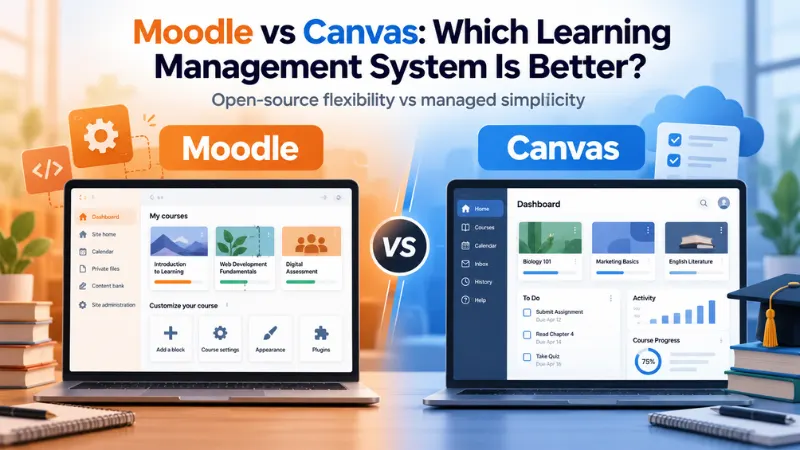
Moodle vs Canvas: At a glance
| Comparison basis | Moodle | Canvas |
| Platform model | Open-source LMS | Commercial LMS |
| Hosting | Self-hosted, MoodleCloud, or service provider | Managed cloud platform |
| Customization | Extensive | Strong, but more structured |
| Technical ownership | Higher with self-hosting | Lower infrastructure burden |
| Best suited to | Organizations needing control and flexibility | Institutions wanting a managed LMS |
| Pricing model | Free software when self-hosted, plus operating costs | Institution-specific pricing |
Moodle’s core software is open source, so organizations can download, modify, and run it themselves. Its open-source model also gives organizations control over how and where they run the platform.
Canvas takes a more managed approach. Instructure currently offers Canvas through Core, Plus, and Next tiers, with different levels of functionality and services.
That difference in platform philosophy matters more than a simple feature-by-feature comparison suggests.
Moodle vs Canvas: The biggest difference is control
Moodle gives organizations more room to shape the LMS around their own requirements.
Its open-source architecture allows organizations to customize the platform, choose how it is hosted, and extend its capabilities through plugins and integrations. That can be valuable when an organization’s training model does not fit neatly into a standard LMS workflow.
That freedom comes with homework.
If an organization chooses to self-host Moodle, it is responsible for the underlying infrastructure and technical work needed to keep the system running securely. Moodle’s own support documentation notes that self-hosting requires hardware and technical expertise.
Organizations that do not want to handle everything themselves can instead use MoodleCloud or a certified service provider for hosting, implementation, support, and other services.
Canvas approaches the problem differently. Because it is offered as a managed platform, institutions generally have less infrastructure to operate themselves.
For an organization that wants its IT team focused elsewhere, that difference can be significant.
Canvas vs Moodle: What do actual users say?
Feature pages tell one story. People who have actually used an LMS tend to talk about something else: how much effort it takes to get everyday work done.
In a Reddit discussion among educators comparing Moodle and Canvas, users described a familiar tradeoff. Canvas was praised for being more intuitive and structured, while Moodle was valued for its flexibility and deeper customization. One commenter described Canvas’s structure as helpful for less technical faculty, while another preferred Moodle’s reporting, assessment, and engagement capabilities.
These are individual experiences, not a scientific usability study. But they do point to a pretty clear tradeoff.
Canvas gives you more rails. Moodle gives you more road.
If you just want to get from A to B, rails can be pretty useful. If your organization keeps needing to take a different route, having more road matters.
And that can matter more to instructors than how impressive the feature list looks on paper.
Canvas can be the easier choice when simplicity matters
Canvas has a strong case for institutions that want instructors and students to get productive without extensive configuration.
Its current feature set includes course creation and delivery, assessment and feedback, analytics, communication tools, mobile apps, and integrations. Features such as SpeedGrader, rubrics, gradebook, APIs, and LTI integrations are built into the broader Canvas environment.
Sometimes fewer decisions are a feature.
Structured workflows can be useful when instructors want to get through the everyday business of teaching without spending their afternoon figuring out which setting controls which other setting.
There is also some useful evidence from institutions that have actually made the switch.
Northwestern Michigan College transitioned from Moodle to Canvas through a fall pilot involving 16 instructors, slightly more than 600 students, and 34 courses. Of the 328 students who responded to its survey question about Canvas’s effectiveness, 75% rated it either effective or very effective. The college also reported that it received no student help-desk ticket asking how to use Canvas during the pilot.
That comes from the college’s own pilot results, so it should be treated as an institutional example rather than proof that Canvas is easier for everyone.
Still, the result points to why a structured LMS can appeal to organizations where adoption and ease of use are major priorities.
Moodle wins when “standard” isn’t enough
The argument for Moodle becomes stronger when an organization needs the LMS to adapt to its processes rather than the other way around.
More customization sounds great until you’re the person being asked to customize it.
That might mean unusual assessment workflows, highly specific course structures, custom integrations, or requirements around how the platform is hosted and managed.
Moodle’s open-source model gives organizations more control over those decisions. That does not automatically make Moodle the better LMS. It simply gives organizations more room to build around their own requirements.
Universitas Indonesia offers one example of Moodle operating at substantial scale. Its Moodle-based EMAS platform supports more than 55,900 active students and more than 13,800 courses created each semester, according to Moodle’s case study of the university.
The university worked with a Moodle Certified Partner as part of the implementation and infrastructure work.
This is a vendor-published case study, so it should not be treated as independent proof that Moodle is superior. What it does demonstrate is the kind of large-scale, institution-specific environment Moodle can support.
Don’t confuse free with cheap
This is where Moodle comparisons often get misleading.
Moodle’s self-hosted software does not come with a conventional software license fee. But that does not mean running Moodle costs nothing.
Someone still has to handle hosting, infrastructure, security, upgrades, maintenance, integrations, customization, and support.
Moodle itself separates its free self-hosted software from MoodleCloud and paid service options.
Canvas works differently. Institutions buy into a commercial, managed platform, with pricing determined according to the organization’s requirements.
So the more useful question isn’t simply “Which LMS is cheaper?”
It’s “Which LMS creates the lower total operating burden for your organization?”
Because “free software” and “free to run” are two very different things.
A university with a strong internal IT team may see Moodle’s control as an advantage. A smaller organization may decide that paying for a managed environment is worth avoiding the infrastructure work.
The software price is only one part of the decision.
What about switching from one LMS to another?
Choosing an LMS from scratch is one thing. Replacing an existing LMS everyone already knows is a whole different project.
Courses have to move. Integrations have to be rebuilt or tested. Faculty need time to learn the new system. Students need to adjust. Support teams may suddenly have a new category of questions to deal with.
And the more customized your existing LMS is, the more complicated that transition can become.
Educators discussing LMS changes on Reddit have described substantial faculty time and disruption associated with moving between systems. Those experiences are anecdotal, not universal cost estimates, but they make one point hard to ignore: switching an LMS can create significant organizational work.
That means the question should not only be “Which LMS is better?”
It should also be “Is the improvement worth the disruption of changing?”
For an organization already running Moodle successfully, moving to Canvas simply because Canvas feels more modern may not be enough.
Likewise, an organization frustrated by the amount of technical work required to maintain a customized Moodle environment may decide that a managed Canvas deployment is worth the change.
Moodle vs Canvas: Which one should you choose?
The choice becomes clearer when you stop asking which LMS has more features and start asking what your organization actually needs from it.
| Choose Moodle if… | Choose Canvas if… |
| You need extensive customization. | You want a more managed environment. |
| Your organization has strong technical resources. | You want less infrastructure responsibility. |
| Open-source control matters. | Standardized workflows are a priority |
| Your learning model has unusual requirements. | Ease of adoption matters more |
| You want greater control over hosting and configuration. | You prefer a platform managed by the vendor. |
- Choose Canvas if you want the LMS to stay mostly in the background. It is a strong option when managed delivery, structured workflows, and reduced infrastructure responsibility are priorities.
- Choose Moodle if you want the LMS to be something your organization can actively shape. Its open-source model makes more sense when customization, technical control, and flexibility are worth the additional responsibility.
Neither platform wins by default.
The better LMS is the one that fits your technical capacity, learning model, customization needs, and tolerance for disruption.
The Verdict
Choosing between Moodle and Canvas is less about finding the “best” LMS and more about finding the platform that fits your organization’s goals. Moodle works well for teams that value customization and control, while Canvas is a strong choice for organizations that prefer simplicity and managed infrastructure. Evaluate your technical resources, learning requirements, and long-term goals before making the decision.
Frequently Asked Questions (FAQs)
Is it difficult to switch from Moodle to Canvas?
The technical migration is only one part of the process. Organizations also have to consider course content, integrations, instructor training, student onboarding, support, and internal workflows. The more customized the existing Moodle environment is, the more planning the transition may require.
What should an institution evaluate before changing its LMS?
Look beyond features and compare the full operating model. Consider implementation effort, administration, integrations, reporting, customization, support requirements, user adoption, and migration complexity. An LMS that looks better in a demonstration may not be the better fit once your existing processes and technical resources are considered.
Does Moodle require more IT support than Canvas?
It can, particularly when Moodle is self-hosted. The organization is responsible for infrastructure and technical management in that model. Moodle also offers hosted options, while Canvas is offered as a managed platform. The actual support burden therefore depends heavily on how Moodle is deployed and who manages it.
What do instructors who have used both Moodle and Canvas tend to notice?
A common theme in educator discussions is the tradeoff between structure and flexibility. Canvas is often described as easier to navigate for routine teaching tasks, while Moodle is valued for the additional control it provides. Individual experiences vary, so these observations should not be treated as universal usability findings.
Is Moodle better than Canvas for highly customized courses?
Moodle is generally the stronger fit when customization is a major requirement because its open-source model gives organizations greater control over the platform. Canvas also supports integrations, APIs, and customization, but its more managed structure may appeal more to institutions that prioritize consistency over extensive platform-level control.